Definition of Control Points
Control points are specific locations on a jobsite used for measurements, usually set by a surveyor. Accurate control points ensure precise layout work.
What do Control Points look Like on a CAD file?
CAD files often have a very clear icon indicating the location of the various control points that should be on the jobsite. They usually look like a very clear "X", or something similar to this, with text clarifying what the icon represents. The drafter should be able to clarify how control points are labeled.
Control points may also be represented by the intersecting points of grid lines on a jobsite. Most jobsites have some sort of grid system, laid out by the surveyor. Clearly marked intersections of these grid lines typically can provide an obvious control point location.
What do Control Points look like on the jobsite?
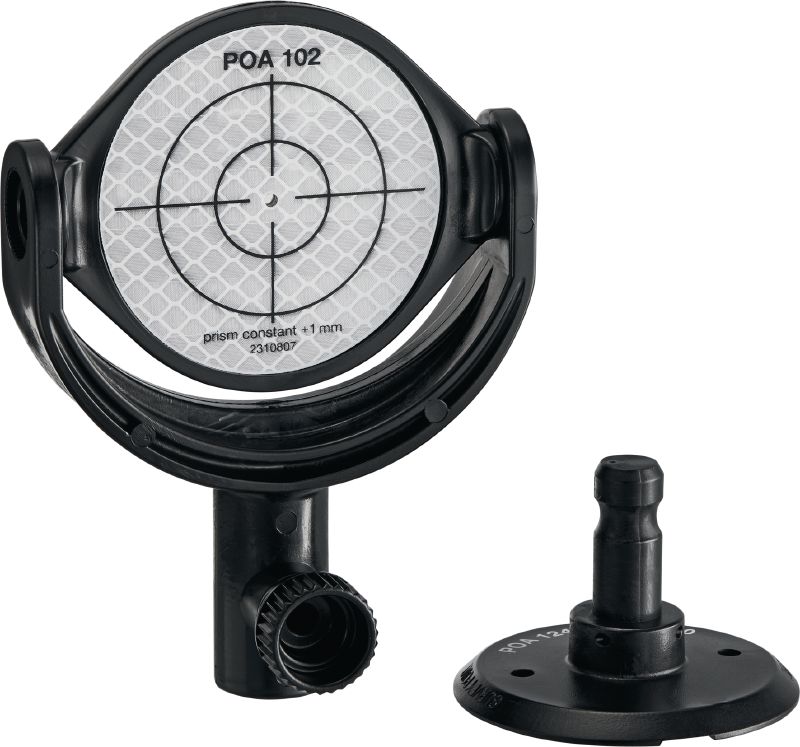
Even if a CAD file seems to have clear control points scattered throughout the digital version of a building's layout, it is important to find those exact same control points in the field. Below are some images of what control points may look like.
Dug in ground control points:
Survey nails:
Geodetic survey points:
Grid Line intersections of offsets:
Mounted Prisms:
Mounted Reflective Targets:
Verify accuracy before laying out:
If there is any concern about the accuracy of the jobsite control, working with general contractors and surveyors to find a solution is typically the first step to resolving the issue. If the control is wrong, the layout will be wrong.
Thankfully, there are many functions within the Hilti Construction Layout software that can be used to inspect control point measurements and accuracy to help the end user do as much accuracy verification as possible to help steer these discussions with other team members.
Comments
0 comments
Please sign in to leave a comment.